NewsPlus
The template details
Features & setup
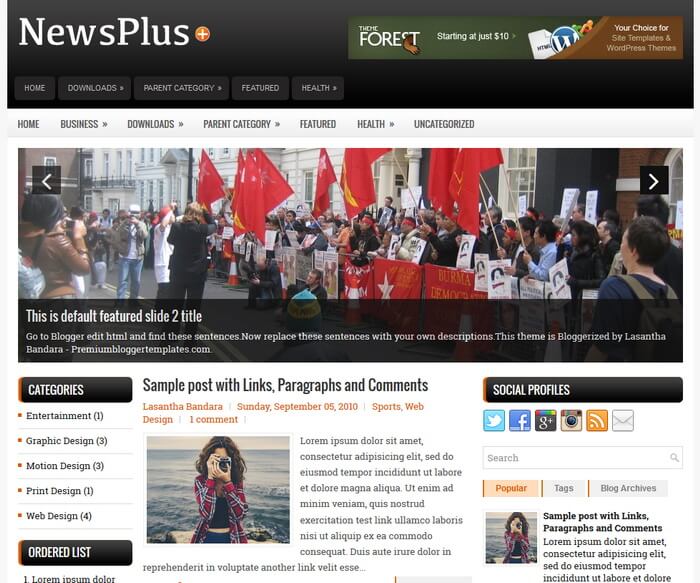
NewsPlus is a Responsive, 3 Columns Blogger Template with Left/Right Sidebars and a 4 Columns Footer. NewsPlus Blogger Template has a Featured Posts Slider, 2 Dropdown Menus, 468x60 Header Banner, Related Posts, Breadcrumb, Social and Share Buttons, Google Fonts, Tabbed Widget and More Features.
Template type : 2 Sidebars, 3 Columns, 4 Columns Footer, Adapted from WordPress, Black, Breadcrumb, Elegant, Featured Section, Responsive, Grey, jQuery Included, Header Banner, HTML5, Left Sidebar, Magazine, Mobile Friendly, Orange, Free Theme, Premium, Related Posts with Thumbnails, Right Sidebar, Slider, Share Buttons, Social Buttons, Tabbed widget, Top Navigation Menu, Web 2.0, White
How to Configure NewsPlus Blogger Template
Read instructions given below to configure NewsPlus Blogger Template.
Main column area width is 460px.
There are with slider and without slider versions in this theme.
How To Configure Navigation Menu
How To Configure Responsive Slider
Ready to install?
Back up your current Blogger template first, then follow this template’s own setup notes.
Installation guide → Ask a question →Find your next design
A template that fits your blog.
Choose your style, layout and features to explore the collection.
Keep exploring

Iv downloaded the template. I want to ask about Js folder.
What we do with de js file?
Hi,
Thank you for great template and instructions. However, I have problem changing text color, link color, title color, post title color, etc (all about color). I tried Blogger Advanced Template Designer, but my blog text colors do not change at all. Look like the codes have been changed in the HTML (all replace with new color codes). Please help! I'm a newbie so I might did something incorrectly. Step by step instruction as above would help me a lot. Thanks.