eCommerce
Free
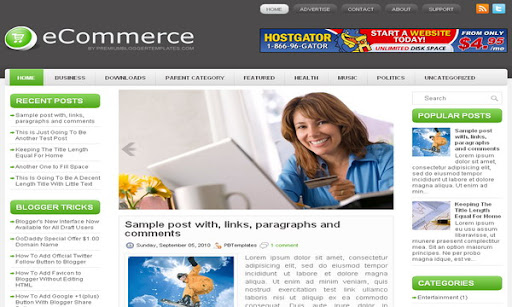
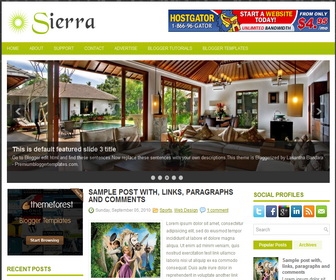
Design preview · Blogger
Enlarge screenshot ↗
(opens preview)
The template details
Features & setup
Template type : 2 Sidebar, 3 Column, Adapted from WordPress, Featured Section, Fixed width, Green, Header Banner, Left Sidebar, Magazine, Right Sidebar, Rounded corners, Slider, Top Navigation Bar, Web 2.0, White
Ready to install?
Back up your current Blogger template first, then follow this template’s own setup notes.
Installation guide → Ask a question →Find your next design
A template that fits your blog.
Choose your style, layout and features to explore the collection.
Keep exploring
I learned a lot from this post, much appreciated! 🙂
Thanks for the great article….
HOW TO EDIT THE HEADER BACKGROUND WHICH IS DARK BROWN.
see my website http://www.examportal.in logo is not look perfect. if anybody else have answer mail me to :
eportal.in@gmail.com
find this and change value as you like:
background:#F2F2F2 url(http://1.bp.blogspot.com/-GpmQljAeIzg/TjG3C6t1U9I/AAAAAAAAAPY/AZoLJAf6MEU/s000/background.png) left top repeat-x;
awesome them Lasantha
how to add my labels in the vatogry at the theme after header sectin? please send me your answer at pixxax.gmail.com
Have a nice day.
Ey Mister Lasantha, this blog is amazing!!!
Please Tell me how to change buttons HOME , BUSINESS , and linked in ?
when you add a page to your blog, it will be automatically added to the navigation menu. navigation menu texts such as "About","Support" equal to the titles of the pages. If you want to add external links to the navigation menu, it must be change as a Linklist widget. Contact me for this customization. Thank you.
Wonderful and wobbly! I was so thankful i found you!!
How can i add a bigger image size in the header ??? I tryed to modify the header padding but didnt work, can some1 help me?
Wonderful template!
good template do you have this theme in magento i am looking to use it for my site
sorry. only blogger and wordpress versions.