BusinessLead
Free

Design preview · Blogger
Enlarge screenshot ↗
(opens preview)
The template details
Features & setup
Template type : 1 Sidebar, 2 Column, 3 Column footer, Adapted from WordPress, Elegant, Featured Section, Fixed width, Grey, Magazine, Orange, Premium, Right Sidebar, Rounded corners, Tabbed widget, Top Navigation Bar, Web 2.0, White, Business
Ready to install?
Back up your current Blogger template first, then follow this template’s own setup notes.
Installation guide → Ask a question →Find your next design
A template that fits your blog.
Choose your style, layout and features to explore the collection.
Keep exploring


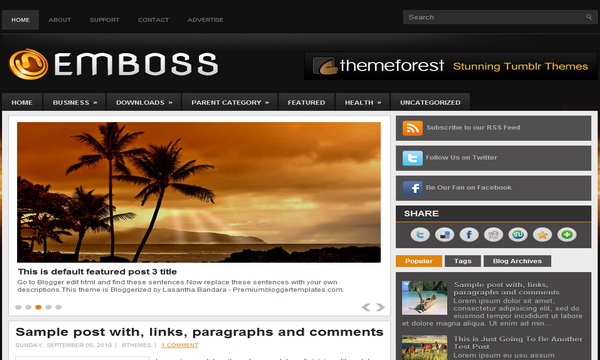

hai,how to add more tab such as contact,about,support,advertise in header like this image ?
Thanks for this post. I can see how to change the names of the tabs, but how do I enable the tabs to work as widgets? I have "Popular," which pulls up my basic sidebar, then I have tabs for "Tags" and "Blog Archives" and they just show the sidebar without any gadgets. It'd be great if I could have a "Tags" tab (which I would probably rename labels) that pulled up the labels, and "Blog Archives" that showed blog archives. Or any of a number of other features that I'd like to add, but I just don't have any idea of how to enable these tabs to pull up anything. Any help would be most appreciated!