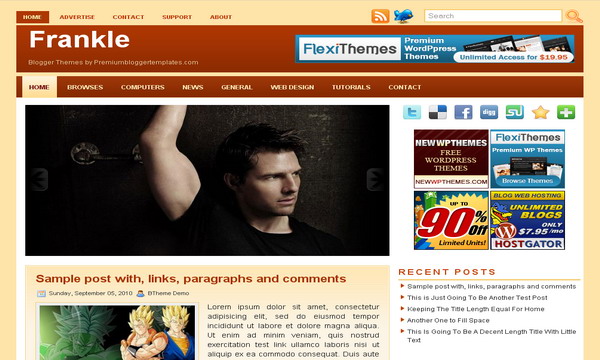
Frankle
Free
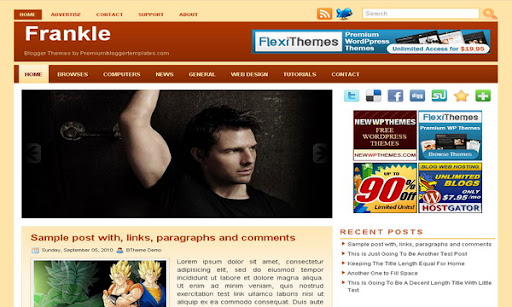
Design preview · Blogger
Enlarge screenshot ↗
(opens preview)
The template details
Features & setup
Template type : 1 Sidebar, 2 Column, Adapted from WordPress, Brown, Featured Section, Fixed width, Header Banner, Magazine, Orange, Right Sidebar, Slider, Top Navigation Bar, White, Yellow
Ready to install?
Back up your current Blogger template first, then follow this template’s own setup notes.
Installation guide → Ask a question →Find your next design
A template that fits your blog.
Choose your style, layout and features to explore the collection.
Keep exploring
How do I change the headers (contact, advertise, etc.)? Then how do I use them? I'm sorry I'm pretty new to this but LOVE the template! Please help asap!
@Pastor Robbie
Go to "Edit html" and find this:
<li><a href='#'>Advertise</a></li>
<li><a href='#'>Contact</a></li>
<li><a href='#'>Support</a></li>
<li><a href='#'>About</a></li>
For example replace "Advertise" with Advertise Here" and replace "#" with "http://buysellads.com/buy/detail/24170" .
Look at below:
<li><a href='http://buysellads.com/buy/detail/24170'>Advertise Here</a></li>
Now configure your menus as the example above.
The labels do not appear down of each post. Also the blogger's sharing buttons do not appear despite configuration in the post-editor.
The post's thumbnail is being transformed on the front page.
Before messing around with the code I'd better asked you.
Thanks and good work!
coba
@Nordin,
I am also facing the same problem that labels are not shown in each post. Labels are integral part of my blog from where readers navigate most of the time, so i badly need labels.
I hope Lasantha comes up with some solution.