Bitcoin Magazine
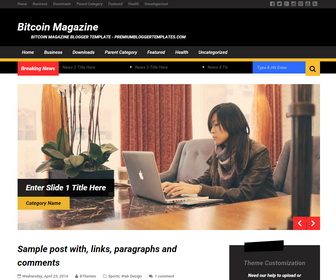
The template details
Features & setup
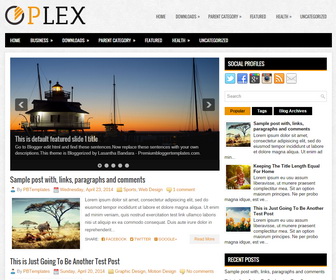
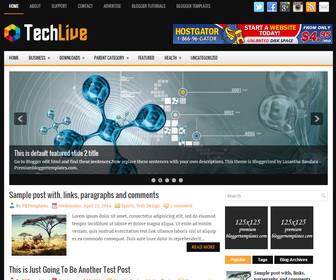
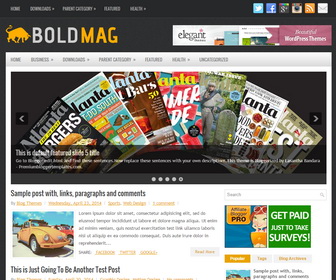
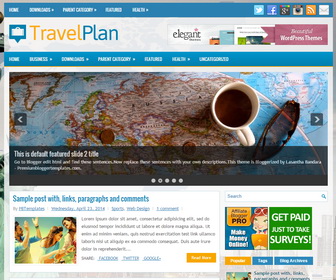
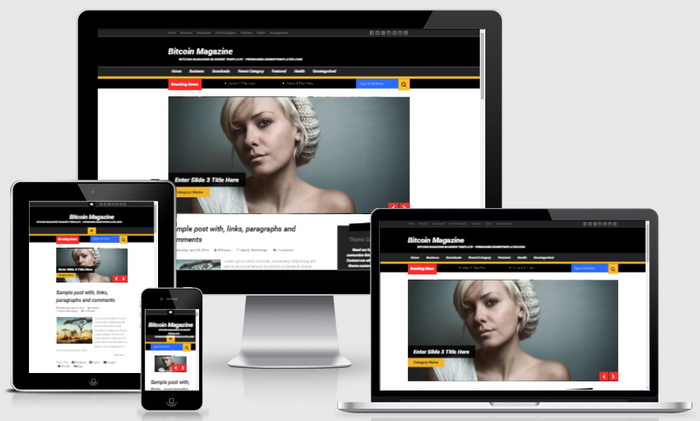
Bitcoin Magazine is Beautiful, Responsive, 2 Columns Blogger Template for Blogger Blogs. Bitcoin Magazine Blogger Template has a jQuery Content Slider, Top Dropdown Menus, Social Profile Buttons, Post Share Buttons, Related Posts, Breadcrumb, 4 Columns Footer, Right SIdebar, Tabbed Widget and More Features.
Template type : 1 Sidebar, 2 Column, 4 Column footer, Adapted from WordPress, Black, Google Fonts, Custom Icons, Elegant, Featured Section, Fixed width, Responsive, SEO Friendly, Fresh, Magazine, Premium, Related Posts, Right Sidebar, Related Posts, Slider, Top Navigation Bar, Web 2.0, White, Yellow
How to Configure Bitcoin Magazine Blogger Template
Read instructions given below to configure Bitcoin Magazine Blogger Template.
How To Add Links to Top Navigation Menu
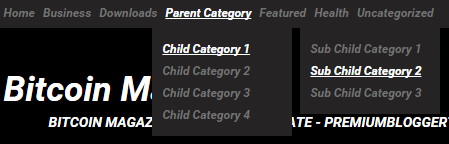
Find this in "Edit HTML":
<ul class='menu-items' id='menu-primary-items'>

<li><a expr:href='data:blog.homepageUrl'>Home</a></li>

<li><a href='#'>Business</a>
<ul class='sub-menu'>
<li><a href='#'>Internet</a></li>
<li><a href='#'>Market</a></li>
<li><a href='#'>Stock</a></li>
</ul>
</li>

...

<li><a href='#'>Uncategorized</a></li>

</ul>
Replace "#" marks with real URLs and change anchor texts as you like.
How To Configure Social Buttons

Find this in "Edit HTML":
<ul id='social-profilespbt'> <li><a class='fa fa-facebook-square' href='https://www.facebook.com/pbtemplates' rel='nofollow' target='_blank' title='Facebook Page'/></li> <li><a class='fa fa-twitter-square' href='http://twitter.com/pbtemplates' rel='nofollow' target='_blank' title='Twitter Profile'/></li> <li><a class='fa fa-google-plus-square' href='https://plus.google.com/106486264231120897555/posts' target='_blank' title='Google Plus'/></li> <li><a class='fa fa-instagram' href='#' rel='nofollow' target='_blank' title='Instagram'/></li> <li><a class='fa fa-pinterest-square' href='#' rel='nofollow' target='_blank' title='Pinterest'/></li> <li><a class='fa fa-youtube-square' href='#' rel='nofollow' target='_blank' title='YouTube'/></li> <li><a class='fa fa-rss-square' expr:href='data:blog.homepageUrl + "feeds/posts/default"' rel='nofollow' target='_blank' title='RSS'/></li> </ul>
Add your own social links replacing current social profile URLs / "#" marks.
How To Add Links to Secondary Navigation Menu
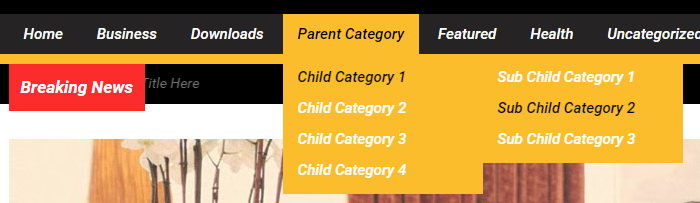
Find this in "Edit HTML":
<ul class='menu-items' id='menu-secondary-items'>

<li><a expr:href='data:blog.homepageUrl'>Home</a></li>

<li><a href='#'>Business</a>
<ul class='sub-menu'>
<li><a href='#'>Internet</a></li>
<li><a href='#'>Market</a></li>
<li><a href='#'>Stock</a></li>
</ul>
</li>

...

<li><a href='#'>Uncategorized</a></li>

</ul>
Replace "#" marks with real URLs and change anchor texts as you like.
How To Configure News Ticker

Find this in "Edit HTML":
<ul class='tickerpbt' id='tickerpbt'>
	<li>
		<a href='NEWS-1-LINK-HERE'>News 1 Title Here</a>
	</li>
	<li>
		<a href='NEWS-2-LINK-HERE'>News 2 Title Here</a>
	</li>
	<li>
		<a href='NEWS-3-LINK-HERE'>News 3 Title Here</a>
	</li>
	<li>
		<a href='NEWS-4-LINK-HERE'>News 4 Title Here</a>
	</li>
	<li>
		<a href='NEWS-5-LINK-HERE'>News 5 Title Here</a>
	</li>
	<li>
		<a href='NEWS-6-LINK-HERE'>News 6 Title Here</a>
	</li>
</ul><!-- .ticker -->
Change news titles (News X Title Here) and news links (NEWS-X-LINK-HERE) as you like.
How To Configure Featured Content Slider:
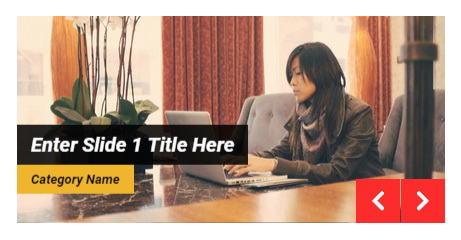
Find this in "Edit HTML":
<div class='wrappbt' id='sliderpbt'>
<ul class='bxslider'>

<!-- slide 1 code start -->
<li>
	<article class='slidepbt'>

		<a href='ENTER-SLIDE-1-LINK-HERE'><img class='swt-slider-image' src='https://2.bp.blogspot.com/-NOJsUh2rzk8/VNDUtJ2pUvI/AAAAAAAAPgI/H0LWMFKZJZw/s1600/slide-1.jpg'/></a>

		<div class='bx-caption'>
			<h2 class='slider-titlepbt'><a href='ENTER-SLIDE-1-LINK-HERE'>Enter Slide 1 Title Here</a></h2>

			<span class='slider-catpbt'><a href='ENTER-SLIDE-1-CATEGORY-LINK-HERE'>Category Name</a></span>
		</div>

	</article>
</li>
<!-- slide 1 code end -->

...

</ul><!-- .bxslider -->
</div><!-- #slider -->
There are 4 slides in the slider. You can add or remove more slides if you want.
Now replace,
"ENTER-SLIDE-X-LINK-HERE"s with your real slide link,
"Enter Slide X Title Here" with your real slide title,
"ENTER-SLIDE-1-CATEGORY-LINK-HERE"s with category link,
"Category Name"s with category name that slide belong,
Slide image URL,
for each slide. (X = 1 or X = 2 or X = 3 or X = 4)
How To Configure Message Box
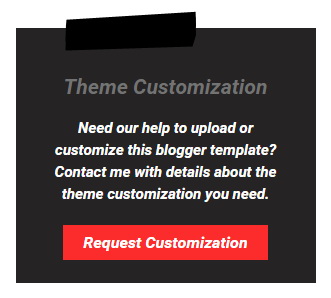
There is a message box in the sidebar of this theme.
Find this in "Edit HTML":
<div class='widget widget_call_to_action'>
	<span class='swt-call-top'/>
	<h3 class='call-titlepbt'>Theme Customization</h3>
	<p class='call-textpbt'>Need our help to <span style='font-weight:bold;'>upload</span> or <span style='font-weight:bold;'>customize</span> this blogger template? Contact me with details about the theme customization you need.
</p>
	<a class='call-buttonpbt' href='https://www.premiumbloggertemplates.com/request-theme-customization/' rel='nofollow' target='_blank'>Request Customization</a>
</div>
You can remove it or change its content.
How To Configure Email Subscribe Box
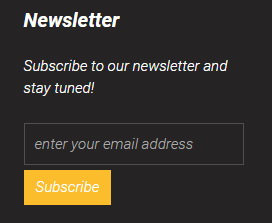
Find this in "Edit HTML":
<form action='http://feedburner.google.com/fb/a/mailverify' id='signupnbt' method='post' onsubmit='window.open('http://feedburner.google.com/fb/a/mailverify?uri=pbtemplates', 'popupwindow', 'scrollbars=yes,width=550,height=520');return true' target='popupwindow'> <input class='newsletter-emailpbt' id='email' name='email' placeholder='enter your email address' type='text'/> <input name='uri' type='hidden' value='pbtemplates'/> <input name='loc' type='hidden' value='en_US'/> <input class='newsletter-submitpbt' name='submit' type='submit' value='Subscribe'/> </form>
Add your feedburner ID replacing my feedburner ID (pbtemplates).
Bitcoin Magazine Blogger Template Responsive View:
Important !!!:
Do not remove the footer credits. This Bitcoin Magazine Blogger template is free for both personal and commercial use. However, you are required to keep the footer links intact which provides due credit to its designers and authors.
Ready to install?
Back up your current Blogger template first, then follow this template’s own setup notes.
Installation guide → Ask a question →Find your next design
A template that fits your blog.
Choose your style, layout and features to explore the collection.
Keep exploring