TheFocus
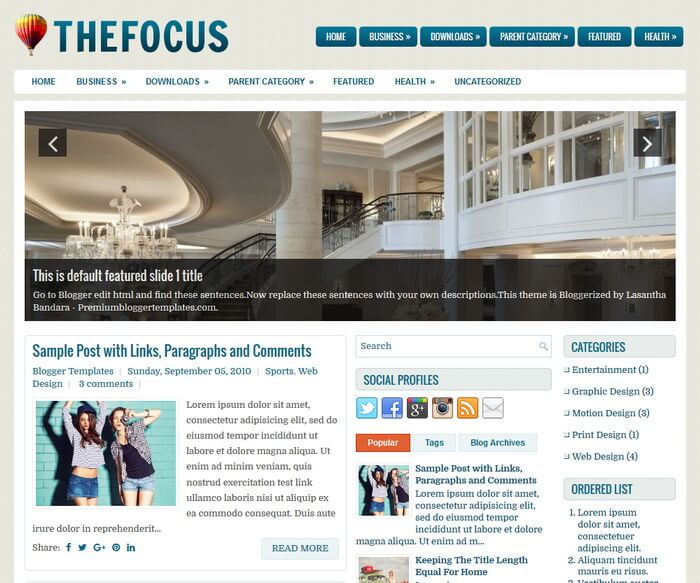
The template details
Features & setup
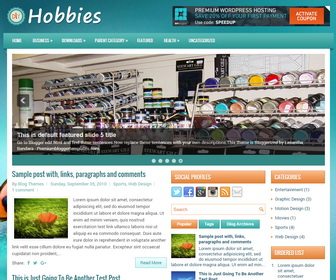
TheFocus is Free and Beautiful, Fully Responsive, 3 Columns Blogger Template with 2 Right Sidebars. TheFocus Blogger Template has a Mobile Friendly Slider, 2 Dropdown Menus, Google Fonts, Related Posts, Breadcrumb, Social and Share Buttons, Auto Read More, Tabbed Widget and More Features.
Template type : 2 Sidebars, 3 Columns, Adapted from WordPress, Blue, Breadcrumb, Elegant, Featured Section, Responsive, jQuery Included, HTML5, Magazine, Mobile Friendly, Orange, Premium, Related Posts with Thumbnails, 2 Right Sidebars, Slider, Share Buttons, Social Buttons, Tabbed widget, Top Navigation Menu, White
How to Configure TheFocus Blogger Template
Read instructions given below to configure TheFocus Blogger Template.
Main column area width is 460px.
There are with slider and without slider versions in this theme.
How To Configure Navigation Menu
How To Configure Responsive Slider
Ready to install?
Back up your current Blogger template first, then follow this template’s own setup notes.
Installation guide → Ask a question →Find your next design
A template that fits your blog.
Choose your style, layout and features to explore the collection.
Keep exploring
How do you resize photos to fit the slider? More specifically, what are the dimensions for the slider photos?
nevermind, found it! thx
Do you have any recommendations for a good place to make a header that would suit this template? Or even just a way to make the header bigger to take up the whole top of the screen would suffice.
Also, i couldn't find the dimensions for the slider pictures, if you could include those that would be helpful.
Thanks!
Love this template. I am new to blogger and this is new and confusing to me. I have replaced the slider images and I have been able to replace the names on the tabs/menus. How/where do I create pages for those links?