Sapor
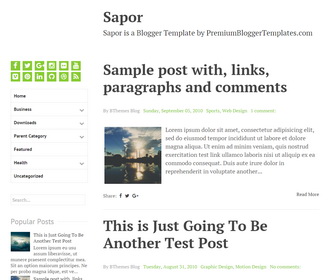
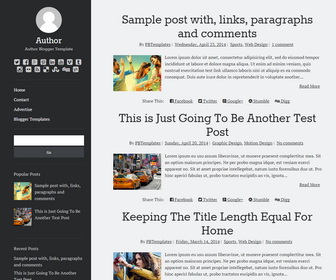
Sapor is a Simple, 100% Responsive, 2 Columns Blogger Template for Writers for Personal Blogs. Sapor Blogger Template has a Left Sidebar, Sidebar Menu, Related Posts, Social Icons and Share Buttons, Auto Post Summaries and More Features.
Template type : 1 Sidebar, 2 Columns, Adapted from WordPress, Elegant, Fixed width, Responsive, jQuery Included, HTML5, CSS3, Left Sidebar, Magazine, Minimalist, Mobile Friendly, Green, Related Posts with Thumbnails, Share Buttons, Social Buttons, Navigation Menu, Web 2.0, White, Writers
How to Configure Sapor Blogger Template
Read instructions given below to configure Sapor Blogger Template.
How To Configure Social Buttons

Find this in "Edit HTML":
<div class='social-linkspbt'>
<ul class='menupbt' id='menusocialpbt'>
<li><a href='http://www.facebook.com/' rel='nofollow' target='_blank' title='Facebook'><span class='screen-reader-text'>Facebook</span></a></li>
<li><a href='http://twitter.com/' rel='nofollow' target='_blank' title='Twitter'><span class='screen-reader-text'>Twitter</span></a></li>
<li><a href='http://plus.google.com/' rel='nofollow' target='_blank' title='GooglePlus'><span class='screen-reader-text'>GooglePlus</span></a></li>
...
</ul>
</div>
Add your own social links replacing default social profile URLs.
How To Configure Navigation Menu
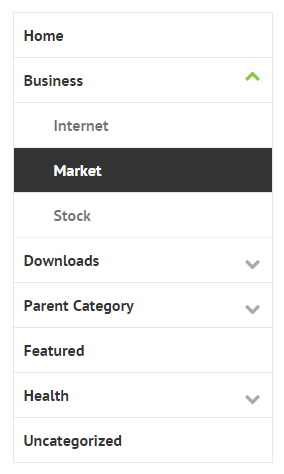
Find this in "Edit HTML":
<ul class='menupbt'>

<li><a expr:href='data:blog.homepageUrl'>Home</a></li>

<li class='menu-item-has-children'><a href='#'>Business</a>
<ul class='sub-menu'>
<li><a href='#'>Internet</a></li>
<li><a href='#'>Market</a></li>
<li><a href='#'>Stock</a></li>
</ul>
</li>

...

</ul>
Replace "#" marks with real URLs and change anchor texts as you like.
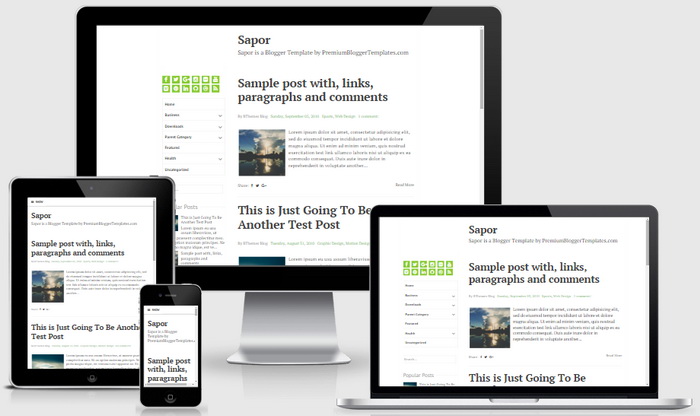
Sapor Blogger Template Responsive View
Ready to install?
Back up your current Blogger template first, then follow this template’s own setup notes.
Installation guide → Ask a question →Find your next design
A template that fits your blog.
Choose your style, layout and features to explore the collection.
Keep exploring