Neste
Free
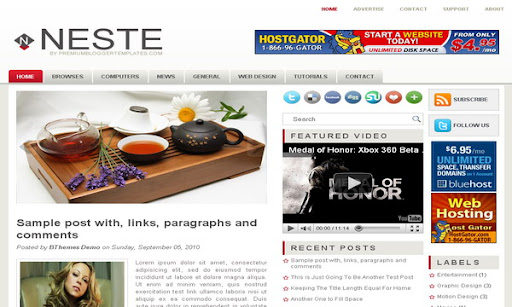
Design preview · Blogger
Enlarge screenshot ↗
(opens preview)
The template details
Features & setup
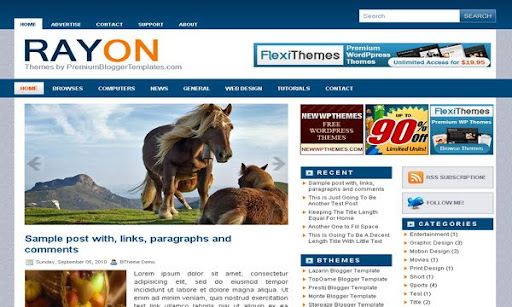
Template type : 2 Sidebar, 3 Column, Adapted from WordPress, Featured Section, Fixed width, Header Banner, Magazine, Right Sidebar, Rounded corners, Slider, Top Navigation Bar, Web 2.0, White
Ready to install?
Back up your current Blogger template first, then follow this template’s own setup notes.
Installation guide → Ask a question →Find your next design
A template that fits your blog.
Choose your style, layout and features to explore the collection.
Keep exploring
I am trying to use to template but I want to change the tab color of the submenucontainer background which is now red in color. I want to cange it to green so that it will match my header image.... pls respond asap!
thanks in adv
Padma
vijay.pawase@gmail.com
this is my email id
i apply your theme for my blog but after that ads are not showing in the blog
pls guide me
I am having problems while changing the slider images. Can you please tell in detail how can i input my customized images in this blog template
I have followed the instruction for Content Slider and it still does not work. Do you have to have content in order for it to work? I am currently testing the template at http://test12-vdricra.blogspot.com/. I don't want to change over templates until Neste is working properly. Should instruction #2 say "SLIDER-X-URL-HERE" with your featured post title (URL). I do like this template would like to use it as soon as possible.
hi, i am sofi. i'd like to know this:
is there any footer? here it seems like there is but in my layout, there isn't. how can i make the three column footer?
e mail me at hana.arisya@gmail.com
thanx.
well..thank u so much... 🙂
Hi,
I am having trouble changing the favicon. I've tried everything. If you could help it would be appreciated.
Also, how do you make the tabs at the top functional? They are the ones you have listed "Browses, Computers, News, etc."?