Foundia
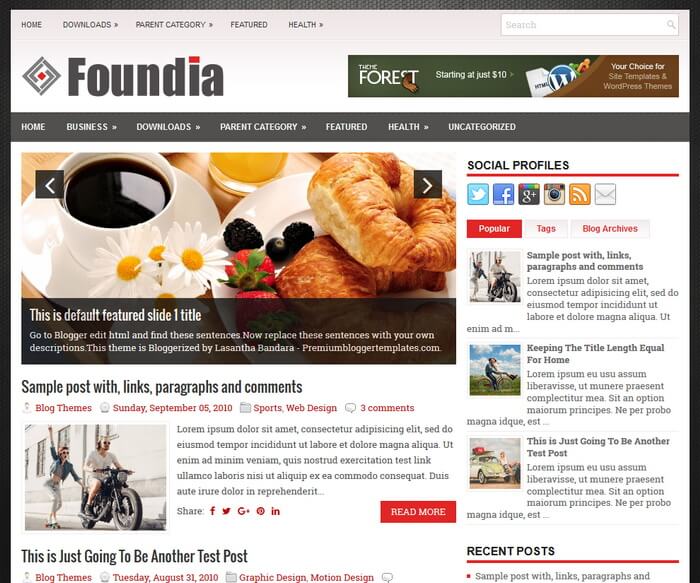
The template details
Features & setup
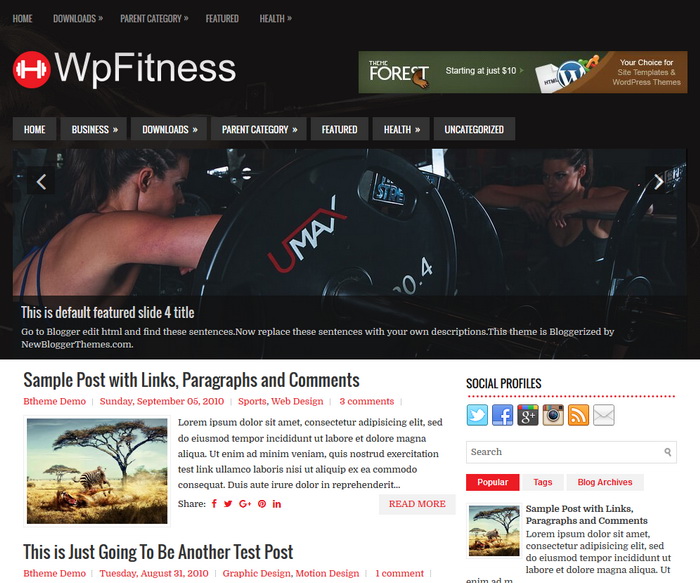
Foundia is an Elegant, Fully Responsive, 2 Columns Blogger Template for General/Blog Websites. Foundia Blogger Template has Google Fonts, Mobile Friendly Slider, 2 Dropdown Menus, Header Banner Widget, Related Posts, Breadcrumb, Social and Share Buttons, Right Sidebar, 3 Columns Footer, Tabbed Widget and More Features.
Template type : 1 Sidebar, 2 Columns, 3 Columns Footer, Adapted from WordPress, Breadcrumb, Elegant, Featured Section, Responsive, Grey, jQuery Included, Header Banner, HTML5/CSS3, Magazine, Mobile Friendly, Premium, Red, Related Posts with Thumbnails, Right Sidebar, Slider, Share Buttons, Social Buttons, Tabbed widget, Top Navigation Menu, Web 2.0, White
How to Configure Foundia Blogger Template
Read instructions given below to configure Foundia Blogger Template.
Main column area width is 615px.
There are with slider and without slider versions in this theme.
How To Configure Navigation Menu
How To Configure Responsive Slider
Ready to install?
Back up your current Blogger template first, then follow this template’s own setup notes.
Installation guide → Ask a question →Find your next design
A template that fits your blog.
Choose your style, layout and features to explore the collection.
Keep exploring
how to remove read more feature, it annoying me when my article always become read more even i didnt use jump break on my article ....
How to edit the bar on top which has the "Home, Business, Downloads, etc" options? Thanks.
go to "page elements" to edit menu.
How can I edit the social medias?! "Twitter. Facebook, Youtube, ..." Thanks.
to edit social links, need to use "Edit HTML" mode
I installed this theme for a Blogger blog and I can't get it to show more than 8 posts per page--even though I did set it to show 10, it only shows 8.
When size of blog front page is larger than 1MB, Blogger will automatically control it.
how to position all feature image on slider to the center?