Blogger resources
How To Import Old Blog Posts to Blogger
By pbtemplates February 22, 2010
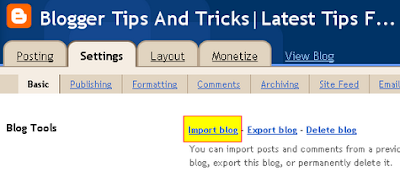
1.Log in to your Blogger dashboard.

2.Click on "Settings".

3.Click on "Basic" tab.
4.Click on "Import blog"
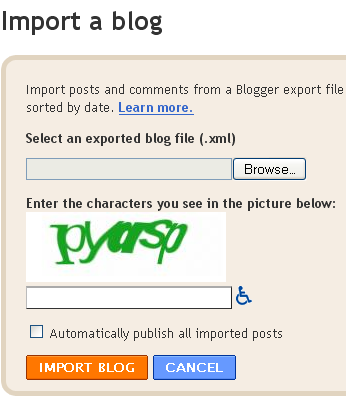
5.Now Click "Browse" and choose your old blog file (.xml) from your computor and click "Open".
6.Now type correctly the characters you see in the picture.
Note : You can your imported posts publish Automatically,checking box "Automatically publish all imported posts" or you can manualy publish them later.
7.Now click "IMPORT BLOG"
You are done.