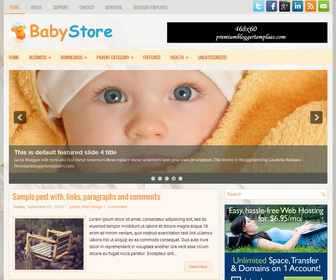
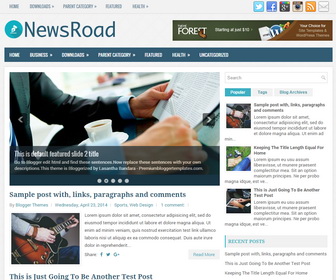
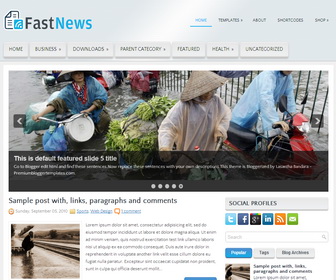
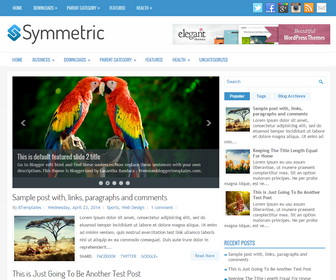
WiseBusiness
Free
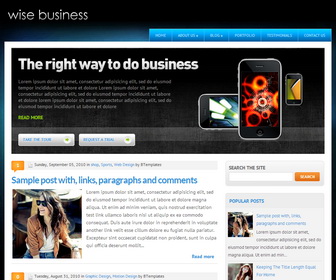
Design preview · Blogger
Enlarge screenshot ↗
(opens preview)
The template details
Features & setup
Template type : Business, 1 Sidebar, 2 Column, 3 Column footer, Adapted from WordPress, Blue, Elegant, Featured Section, Fixed width, Fresh, Magazine, Premium, Right Sidebar, Top Navigation Bar, Web 2.0, White
How to Configure Drop Down Menu:
Find this in "Edit HTML":
<!-- top menu -->
<div class='menu-topmenu-container' id='topMenu'>
<ul class='sf-menu' id='menu-topmenu'>
<li><a expr:href='data:blog.homepageUrl'>Home</a></li>
<li><a href='#'>About Us</a>
<ul class='sub-menu'>
	<li><a href='#'>The Company</a></li>
	<li><a href='#'>The Team</a></li>
</ul>
</li>
<li><a href='#'>Blog</a>
<ul class='sub-menu'>
	<li><a href='#'>General</a></li>
	<li><a href='#'>CSS</a></li>
	<li><a href='#'>Fonts</a></li>
</ul>
</li>
<li><a href='#'>Portfolio</a></li>
<li><a href='#'>Testimonials</a></li>
<li><a href='#'>Contact us</a></li>
</ul>
</div>
<!-- end top menu -->
Replace "#" marks with real URLs and anchor text with the words you need.
Configure Featured Content:
Find this in "Edit HTML":
<!-- home header -->
<div id='homeHeader'>
<div id='headerImg'><img src='https://3.bp.blogspot.com/-pX-uRFx6FeY/UkozLBWydEI/AAAAAAAAKSM/K04VXNNRJPA/s1600/sample_img_slider.png'/></div>
<div id='headerText'>
	<img src='https://4.bp.blogspot.com/-1L6qIFEtLbA/UkozGFAXi2I/AAAAAAAAKRg/OE3Ewy0IadE/s1600/sample_title_slider.png'/>
	<p>Lorem ipsum dolor sit amet, consectetur adipisicing elit, sed do eiusmod tempor incididunt ut labore et dolore Lorem ipsum dolor sit amet, consectetur adipisicing elit, sed do eiusmod tempor incididunt ut labore et dolore  lorem ipsum dolor sit amet, consectetur adipisicing elit, sed do eiusmod tempor incididunt ut labore et dolore</p>
	<p><strong><a href='#'>Read more </a></strong></p>
</div>
<div id='buttons'>
	<a href='#'>Take the tour</a>
	<a href='#'>Request a trial</a>
</div>
</div>
<!-- end home header -->
Change the content( image URLs, paragraph content and read more link) as you like.
Ready to install?
Back up your current Blogger template first, then follow this template’s own setup notes.
Installation guide → Ask a question →Find your next design
A template that fits your blog.
Choose your style, layout and features to explore the collection.
Keep exploring