
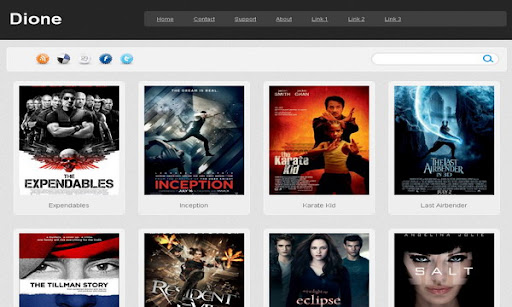
|
Template name : Dione
Template type : 4 Column, 3 Column footer, Adapted from WordPress, Elegant, Fixed width, Gallery, Grey, Photoblog, Photography, Premium, Rounded corners, Top Navigation Bar, Web 2.0, White Release date : December 8, 2010 Coder/Designer Name(s) : Lasantha Bandara / Web2feel.com Coder/Designer URL(s) : http://www.premiumbloggertemplates.com/ Basic Instructions : How to install a Blogger template Advanced Details : http://www.premiumbloggertemplates.com/2010/12/dione-premium-blogger-template.html |
Configure Meta tags
Login to your blogger dashboard--> layout- -> Edit HTML.Now Scroll down to where you see below codes :
<meta content='DESCRIPTION HERE' name='description'/><meta content='KEYWORDS HERE' name='keywords'/>
Replace DESCRIPTION HERE,KEYWORDS HERE as below.
DESCRIPTION HERE:Write your blog description
KEYWORDS HERE:Write the keywords of your blog separated by comma.
How To Configure Favicon:
Login to your blogger dashboard--> layout- -> Edit HTML.Now Scroll down to where you see below code :
<link href='YOUR-FAVICON-URL' rel='shortcut icon' type='image/vnd.microsoft.icon'/>
Now replace "YOUR-FAVICON-URL" with your Favicon address/url.
If you have any problem regrading this template,leave a comment below.
Important !!!:
Please do not remove the footer credit. I spend several hours to create this blogger template. So that you can use it for your blog. All I ask is, stay the credit intact.
License:
This free Blogger template is licensed under the Creative Commons Attribution 3.0 License,which permits both personal and commercial use.
However, to satisfy the 'attribution' clause of the license, you are required to keep the footer links intact which provides due credit to its authors. For more specific details about the license, you may visit the URL below:
http://creativecommons.org/licenses/by/3.0/


I'm Lasantha Bandara. we provides hundreds of premium quality free blogger templates.
I love every template on your site. Thank a lot.
I love the template. Thanks.
I us this okey mnsubtitle.tk
abeautoful template
thanks
thanks
love this template!!
there's some bug i found..
if the post contain youtube,when we scroll..
the video will overlap the header instead run under it..
see the pic:
http://i194.photobucket.com/albums/z195/amirfazwan/blog/Capture.png
hope can fix this..thx!
Heyo Thx for this Awesome Template!!! Great Job!!!!!!! But Pls tell me how to enter the facebook & twitter accounts?
I love this template, but I have noticed that my main page is staggered and not aligned properly, any way to fix this?
Nice template!, Please how can I use the photos as links?
Thanks for the template!!!
It only shows 10 posts at the homepage.
I use in my blog LinkWithin. A small portion of the thumbnails appear also on the main page under the cover of the post.
Can you help me?
Great template, I'm using this one here http://frogtorrent.blogspot.com/
and I' need to change the background color of th whole page. but I can find that esopecific tag. would you help me?
hello friend im using your blog template but the problem is my post only show 6 post not 12 post...and older post navigation didnt show in the footer page..can u help me.....scrollock@gmail.com
wow! this template is cool
look!
http://www.pelisustos.blogspot.com
Hey did you have to edit anything to get your Page Navigation working??? Mine won't show up. Any FeedBack WIll be Greatly Appreciated.
what is your blog url ?
page numbers wont show up on my blog,so aafter it reches the max, i can only see posts if i view archive, how can i get a go to page numbers like in this demo?
Buenos dias, muchas gracias por tu trabajo...gran plantilla,estoy empezando a configurarla:"http://vestimostutrabajo-industrial.blogspot.com/"
podrías ayudarme a eliminar la barra de búsqueda y enlaces??
Muchas Gracias de nuevo.
Un saludo/Paco
Muchas Gracias por tu trabajo.
Un saludo
very good, but how can I eliminate the date headers on home page?
I like the layout of this theme but it is too dark. Can you make one theme with a lighter background please?
Thank you very much for this amazing template.
check it out :
http://moviespavilion.blogspot.com
Is there a way to make the thumbnails a link to the post as well? It's a little bit confusing using just the title.. Great template.
Hi
This site not respects licence CC http://veopeliculas.com.ar/
Wow! awesome work bro that's a great theme!
http://itechvision.blogspot.com/
when i put a video in a post instead of am image , its thumbnail is not showing up on the main page just like its shows of the images.how to modify the code so that the thumbnails of the videos also shows up?
Hey, I uploaded this template, but the page navigation is not visible on my blog... !!! Can anybody sort out this prob???
tại sao trên trang chủ của tôi chỉ hiển thị được 6 bài viết trong khi tôi đã cài đặt hiển thị tối đa là 8 bài đăng
xin hãy giúp tôi, liên hệ với tôi : xzb0yzx@gmail.com
cảm ơn các bạn !
hi...
I really like this template, dione template..
I use this template in here, http://jilbabrose.blogspot.com/.
But, i have a problem here..
This blog, http://jilbabrose.blogspot.com/, i made for showcase of myproduct. i want all my products posts in the homepage. I have change the total showing post in page element setting, i change it to 20 post. But why, the total showing posts is just 8 posts? How i can edit it..?
Please answer my question..
this template very helping me, nice work dude
jenis paragraf
sir, i have a problem with the favicon link, when i type "http://arsydigital.com" in address bar, the favicon will not shown like i type "http://arsydigital.blogspot.com" any idea to solve my problem please?
i'm using URL Forwarding.
thank you
http://2mix4.blogspot.com
http://24w7.blogspot.com/
http://24mix.blogspot.com/
http://tv4day.blogspot.com/
http://pic2all.blogspot.com/
http://myvkusnota.blogspot.com/
http://reallife02.blogspot.com/
http://mylifemus.blogspot.com/
http://multyashki.blogspot.com/
http://photos00.blogspot.com/
http://angel-vyajem.blogspot.com/
thanks for this template.
One thing, can you tell me that how to customize the post number(how much will appear in the home page)
Semua template anda memang sangat menakjubkan...!!!!
Bener2 keren....!!!!
i really like your template...!!!
Hello, I am working with your template (very cool) and I was wondering about the thumbnails...how do I create a thumbnail that is not a stretched version of the original image?
thank's for template...
this easy for post publication..
visit my blog http://jembermovie.blogspot.com/
I tried to change the size of the image preview by editing the Javascript img_thumb_height variable and changing it to 125. Their was no noticeable effect. What happened, how do I fix it?
How to delete the date at header???
thaks you very much
If I want to change the dark gray color of this template for other. How I can do that?
CAN SOMEONE PLEASE EXPLAIN HOW TO USE THE THUMBNAILS TO WORK AS A LINK TO THE POSTS, AND PAGE NAVIGATION ISN'T WORKING. PLLEAAAAAASEEEEEEEEE!!!!!!!!!!!!!!!!!!!!!
can you mention your blog url ?
This is is the link http://teszting.blogspot.com/
I'm just testing it out first
Hi
How did you make the thumbnails square at http://teszting.blogspot.com/
I want to do the same at my blog, http://blog.Jewelove.in
It is not appearing correctly. The posts are not in a row & they have the date displayed above. Also, the images do not link to the posts. Because my blog is active, I am reverting back to the old template, but I would love to use this template on my blogs.
Please help me out with these issues.
Blog at http://blog.Jewelove.in
Screenshot at http://jewelove.drupalgardens.com/sites/jewelove.drupalgardens.com/files/styles/large/public/Screenshot-70_2.png
go to "Page Elements". Click on "Edit" link of "Blog Posts" widget. from "Post Page Options", uncheck date option and save. you are done.
Thanks. But the images are still stretched. & they are not clickable to the post.
images are not clickable. can click on titles to go into posts. clickable thumbnail script have some weaknesses when using different title formats.
Ok, what about the images being stretched? Because I mostly use square images, all the thumbnails are stretched! What can be done about that?
worked out the image stretching issue! beautiful template. will go live on http://blog.jewelove.in tomorrow.
THANKS
http://www.moviespavilion.com/
Hola gente! quiero cambiarle el color a la parte inferior, y no se como hacerlo?? necesito su ayuda!!
contact me for this customization.
Hi . I am having a problem with my main page displaying 12 posts . It was showing 12 posts but every time i add another post it will only display 11. Then i add another post , then only displays 10 and so on and so on. Soon my main page will only be displaying my newest post ! The second page display 12 posts correctly .
I tried playing about with the post settings in blogger but no joy .
Can anyone help me .
Cheers
Here is my test site http://ps3divxtest.blogspot.com/
Hi, i really love this theme and want to use it for one of my blog. i have question, i hope u can help. is there any way to add 1 widget again for advertisement on single page on the left or right side of picture? this is my blog http://meinoutfit.blogspot.com
Thanks
Hi...I want to add a sidebar to this template...please can you help me...?
Cool template and looks perfect in my blog check it out
http://www.moviesfd.com
I have this
var pageCount=12;
var displayPageNum=5;
var upPageWord ='« ';
var downPageWord =' »';
According to your blog help i need this line
var postperpage=4;
and change the 4 to 12
but as you can see i dont have that line .