Two ways to install your Blogger template: upload the XML file or paste its code into Edit HTML. Start with a backup, then follow the method that suits you.
PBTPremium Blogger Templates
Before you begin
Download your new Blogger template to your computer. If it comes as a ZIP file, extract it first and locate the .xml template file. Keep any included setup instructions nearby.
Choose the correct blog. Sign in to Blogger and select the blog you want to update.
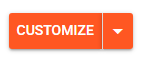
Save your current theme. Open Theme. Under My theme, click the down arrow to the right of Customize to open the theme menu.
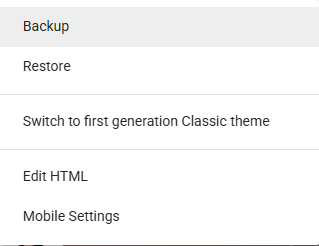
Click the down arrow beside Customize to open the theme menu. Choose Backup from the menu.
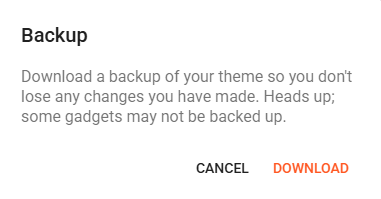
Choose Backup from the theme menu to save your current design. In the Backup dialog, click Download. Keep this file so you can restore your previous design. As Blogger notes, some gadgets may not be backed up.
Click Download to save a backup of your current Blogger theme.
Keep your custom settings. Copy any custom widget content, tracking code and other changes you want to reuse. Take a screenshot of your current Layout to help you rearrange widgets later.
Choose one method below. You do not need to upload the file and paste its code. A theme backup saves your design; blog content backups are handled separately.
Method 01 · XML upload
Install by uploading the template
Use this method when you have the template XML file ready on your computer.
About these screenshots: The Theme, Backup and Download screenshots show the newer Blogger dashboard. The blog selector, file picker and upload confirmation examples below are from our original guide, so their appearance may differ from your screen.
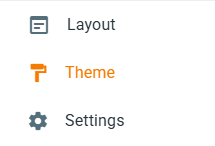
Open Theme. In your Blogger dashboard, choose the correct blog and select Theme from the sidebar.
Select the blog you want to update.Select Theme from the Blogger dashboard sidebar.
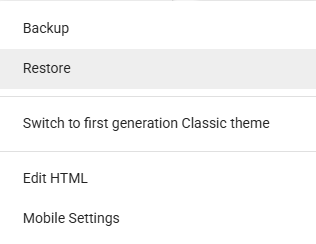
Open Restore. Under My theme, click the down arrow to the right of Customize and choose Restore.
Open the menu using the down arrow, then choose Restore.Choose Restore from the theme menu to upload your new template.
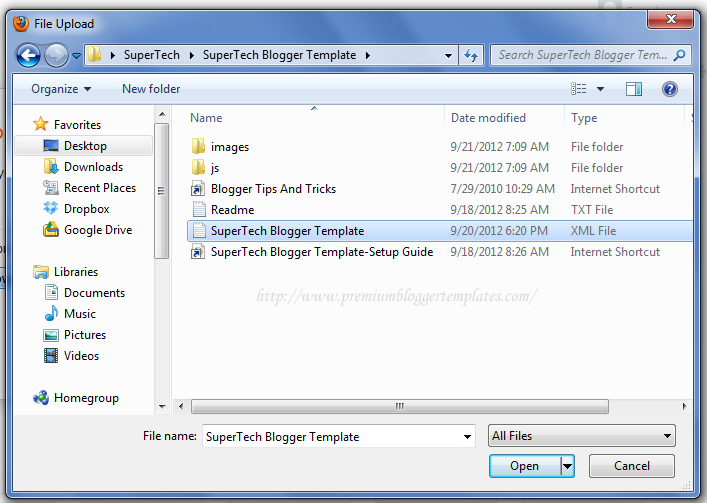
Select the XML file. Click Upload, browse to the extracted template file and select it. Upload the .xml file, not the ZIP archive.
Choose the extracted XML template file and click Open.
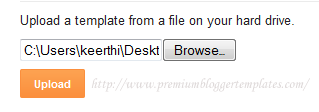
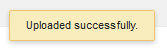
Wait for the upload to finish. In the older dialog, click Upload after selecting the file. Once Blogger confirms the change, open your blog to check the new design.
The Upload button shown in the original guide.An example of the successful upload confirmation.
Method 02 · Alternative installation
Install by pasting code into Edit HTML
You can also install the same template by copying the complete XML source into Blogger's theme editor.
Open the template as text. Open the extracted .xml file in a plain-text editor such as Notepad or a code editor. Avoid word processors, which can change the code's formatting.
Copy the complete file. Select all the code and copy it. On Windows, use Ctrl + A, then Ctrl + C. On Mac, use Command instead of Ctrl.
Open Blogger's HTML editor. Select your blog, go to Theme, open the menu next to Customize, and choose Edit HTML.
Replace the existing theme code. Click inside the code editor, select all its existing code, and paste the complete code you copied from the XML file. Replace the whole template rather than adding it above or below the old code.
Save the theme. Click the Save icon and wait for Blogger to finish saving. Then open your blog and check the result.
Use the theme editor. Paste the code into Theme → Edit HTML, not a post, page or HTML/JavaScript gadget. Replacing the code can affect existing widgets and customizations, so keep your backup.
Finish setting up your design
Open Layout and rearrange your widgets to match the new template.
Follow the template's own documentation to set up its logo, navigation, social links, featured posts and other features.
Review any custom code you need to restore, and avoid adding duplicate tracking scripts.
Check the homepage, a post and a page on both desktop and mobile. Test menu links and important widgets.
A newly installed template may need your images, labels and widget settings before it looks like the live demo.
If something does not work
Blogger cannot upload or save the template
Check that you extracted the ZIP and selected the Blogger XML template. For Edit HTML, make sure you copied the entire file without extra text. Note the exact error message before trying again. If necessary, restore the theme backup you saved earlier.
Widgets are misplaced or cannot be removed
Open Layout and check the template's setup notes. Some widgets are locked by the template. If a widget cannot be removed or the layout still looks wrong, send us the template name, your blog URL and a description of the problem.
Need help installing your template?
If you encounter an unexpected error or need help arranging your layout, include the method you tried and any error message with your enquiry.

thank u so much
very helpful..
Thank you so much 🙂
Thanks,,very useful...
I really want to thank you for sharing all of this with everyone especially self-educated bloggers like me. Thank you!
Thank you so much !
බොහොමත්ම ස්තූතියි...
ජය ශ්රී.. !!!
thank youso much
Thank you
thank you. send regards for success
Nice informative and helpful article for Blogger startup
thanks 🙂
I like this template, thank you for information 🙂
Glad I stumbled to your site.You are doing a great work.Thanks for the help you are giving out.
It is nice ,thanks
its help full.Thanks
Really appreciate your work