
If you want to change dimensions of thumbnails( auto read more thumbnails), follow these simpe steps.
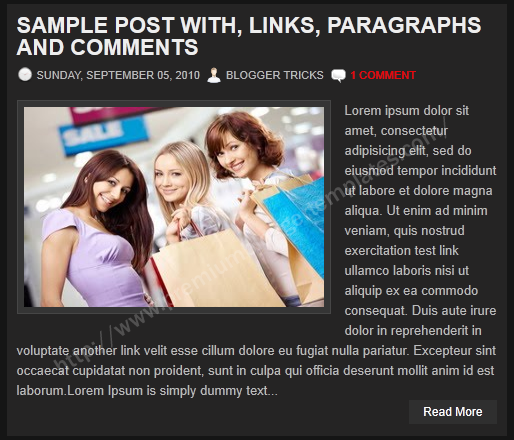
Now go to "Design" --> "Edit HTML". (if you are using Blogger new interface go to "Template" --> "Edit HTML").
Click on "Expand Widget Templates".
Find this (some parts of the code can be different,according to your template.):
<script type='text/javascript'>
summary_noimg = 600;
summary_img = 500;
img_thumb_height = 150;
img_thumb_width = 200;
</script>
Look at the image:
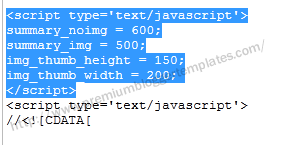
To change width, change the value of img_thumb_width.
To change height, change the value of img_thumb_height.
For example I change thumbnail width as 300px and height as 200px. Now code should be:
<script type='text/javascript'>
summary_noimg = 600;
summary_img = 500;
img_thumb_height = 200;
img_thumb_width = 300;
</script>
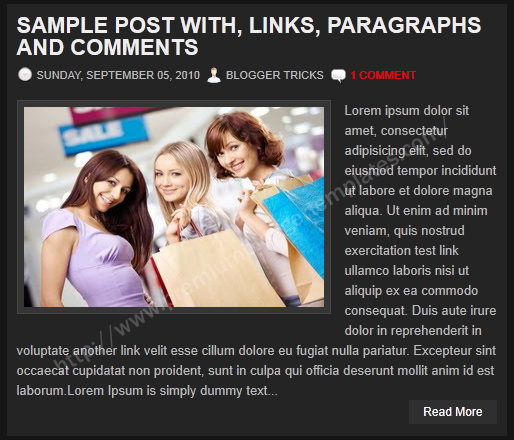
save the template. refresh your site.
Thanks for sharing nice tip.
To avoid blurred photo with large size, I adjusted s800 instead of s400.
For example this image :
2.bp.blogspot.com/-JgU9nMPMO7o/ToxZl2o43hI/AAAAAAAAA_U/8W_QX8m6f8Q/s800/The-Thomas-Crown-Affair-1999-thumbs.jpg
YOUR POSTS ALWAYS BRING A SATISFIED SMILE TO MY FACE. JUST IMPREMENTED THESE ON TechTreck TECHNOLOGY MAGAZINE @ http://TechTreck.in
hello! i coulden't find the code i was supposed to look for. anyway, i wanted to ask you if there is any way to have a comment box for blogger, like this one, the wp comment box.
thank you.
Can I set auto-generated thumbnails instead of these fixed dimensions? I want the thumbs like they are on the recent posts or popular posts widgets. If you look at my blog homepage, you'll see that the fixed widths don't look good because they are always stretched in some way.
Hello Rishabh
Example to change thumbnail to fixed dimension
Change this code:
img_thumb_height = 150 ;
img_thumb_width = 150;
to
img_thumb_height = 150 ;
img_thumb_width = null;
or
img_thumb_height = null;
img_thumb_width = 150;
Nice
Thnx
www.skfanclub.com
can u please tell how to change size of data:blog.postImageThumbnailUrl
Hello,
I have changed my tumb image size 55x55 to 180x90. So images are stretched. How can i solve this problem.
how can we remove image thumbnail?
I dont want to show thumbnail
only description
Thank You so Much for Sharing this. I've been trying to figure this out now for over 2 weeks. THANK YOU. I really really appreciate it.
Keep up the good work. : )
Your changing of thumbnails with Null to allow autosize was a lifesaver, thank you, been looking for that forever!
Thanks alot Bro. Exactly what I was looking for.
thanks for the nice post (y)
Its possible to put iframe or any embedded item istead of images? because can change the text area height but when i put some embedded post, not showing anything
Worked for me.
Hi! I don't have this code in the template I am working on. I am just trying to change the mobile view thumbnail size which is what this would do, correct?
Would I just add the code you have above maybe before </body>
This is the site I am working on:
http://girl-in-gold-preview.blogspot.com/
Thank you SO much!
I figured it out but thanks 🙂
Thank You
Wow aMaging post..nice..